COI tracking
Certificate of Insurance Tracking Software
Track vendor COIs before insurance proof expires. RenewOps gives small teams one place to monitor certificate expiration dates, assign owners, request updated documents, and review missing proof before vendor work creates risk.
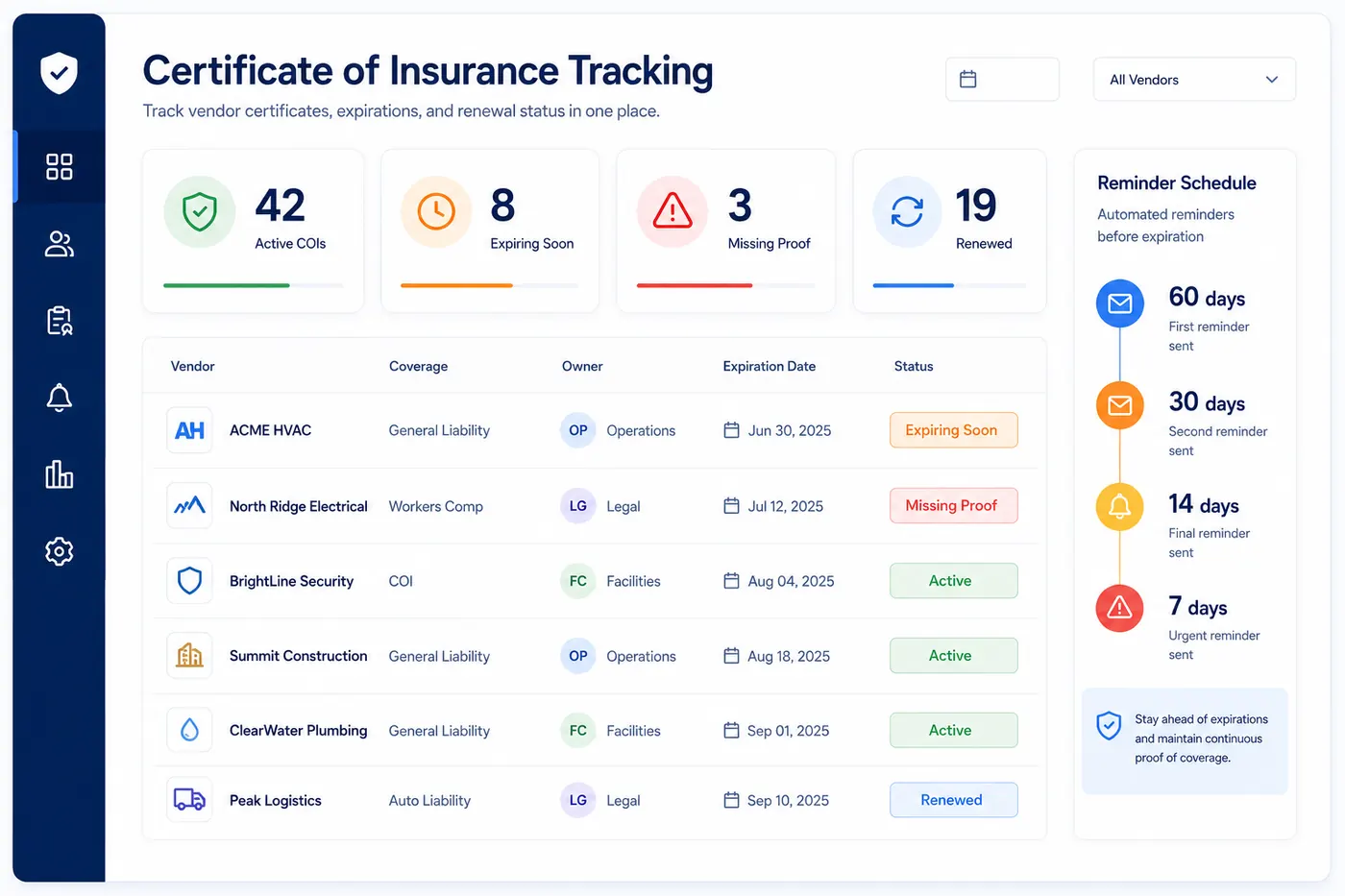
RenewOps product view
Control vendor COI expirations from one review queue
RenewOps keeps COI follow-up tied to the vendor record, owner, expiration date, reminder cadence, risk tier, and status so expired proof is easier to find before work is blocked.
What the workflow gives the team
Create one COI record per vendor coverage type instead of one vague vendor row.
Use owner and risk tier to prioritize high-impact vendors before standard suppliers.
Keep document source notes visible so the next review can request or verify updated proof.
Records
One workspace for contracts, licenses, documents, subscriptions, domains, and credentials.
Owners
A visible accountable person for each renewal or expiration record.
Dates
Expiration, renewal, notice, and review dates kept together.
Reminders
Simple reminder ladders such as 60 / 30 / 14 / 7 / 1.
Status
Active, expiring soon, expired, and renewed queues for weekly review.
CSV
Import and export paths for teams moving from spreadsheets.
What certificate of insurance tracking software does
Certificate of insurance tracking software helps teams manage vendor COIs as active records instead of static PDFs. Each certificate gets an expiration date, owner, reminder schedule, status, and document reference.
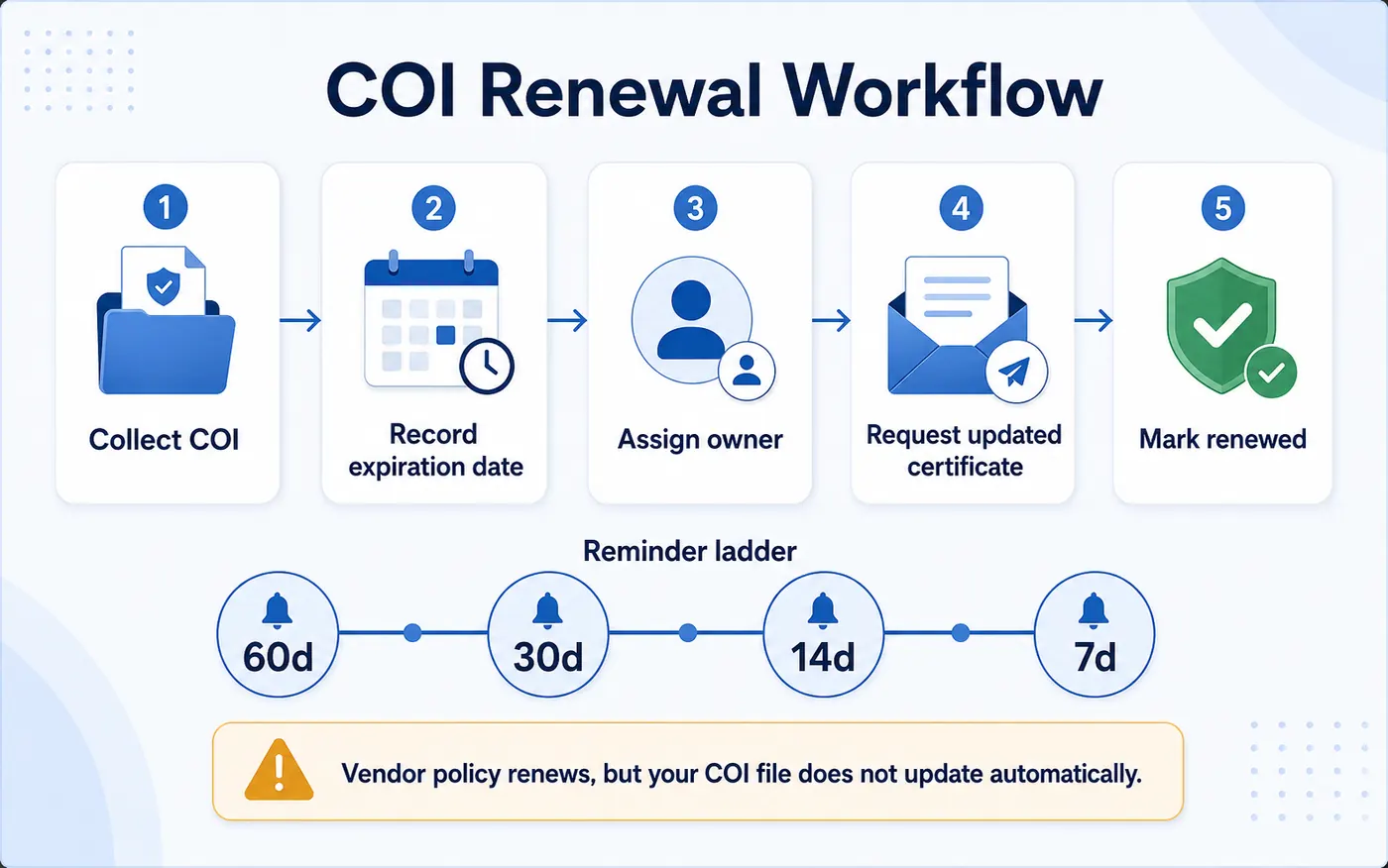
This matters because a COI does not update itself when a vendor policy renews. Someone still needs to request a fresh certificate, confirm coverage, and update the record before the old proof becomes stale.
A good COI tracking workflow also separates vendor insurance proof from your own insurance policies. Your team may track both, but the operating motion is different: internal policies require renewal decisions, while vendor COIs require proof collection, exception handling, and owner follow-up.
If your team is still learning the operating process, start with the COI expiration tracking guide, then use this page as the software workflow.
When COI tracking becomes software-worthy
A folder of certificates can work during vendor onboarding, but it becomes fragile once certificates need recurring renewal follow-up. The risk is not only that a document expires; it is that nobody sees the expiration early enough to request a corrected certificate, confirm coverage requirements, or pause work before proof is missing.
Dedicated COI tracking is especially useful when vendors have different coverage requirements, multiple policies, different internal owners, or recurring job-site access. Instead of asking who has the latest PDF, the team reviews a living queue of COIs that are active, expiring soon, expired, or waiting on vendor response.
Example COI tracking record
Vendor
ACME HVAC Services
Coverage
General liability COI
Expiration date
2026-06-30
Owner
Operations
Risk tier
critical
Reminder ladder
60 / 30 / 14 / 7
Status
Expiring soon
Notes
Request updated ACORD 25 from vendor agent
What every COI tracking record should capture
COI tracking is different from insurance renewal tracking
Your insurance policies
You control the policy, broker relationship, premium review, and renewal decision. Use insurance renewal tracking software for this workflow.
Vendor COIs
You do not control the vendor policy. You track the proof, request updated certificates, and pause or escalate if valid coverage is missing.
COI reminder timing by vendor risk
| Vendor type | Examples | Reminder ladder | Action if missing |
|---|---|---|---|
| High-risk vendor | On-site contractor, subcontractor, facilities vendor | 60 / 30 / 14 / 7 | Pause work if proof is missing |
| Standard vendor | Recurring service vendor or supplier | 30 / 14 / 7 | Escalate to vendor owner |
| Low-risk vendor | Low-impact administrative vendor | 30 / 7 | Keep visible in monthly review |
A practical weekly COI review routine
COI tracking works best as a short weekly control habit. The goal is not to inspect every certificate manually; it is to focus attention on records where proof is expired, expiring soon, missing, or assigned to a vendor owner who has not completed follow-up.
01
Start with expired or missing proof
These are the records most likely to create immediate vendor or job-site risk.
02
Review critical vendors next
High-impact vendors should be checked before standard administrative suppliers.
03
Confirm owner follow-up
Every open COI should have a person responsible for vendor or broker outreach.
04
Close renewed certificates
Replace the old document, update the new expiration date, and mark the record renewed.
This is the difference between storing certificates and controlling certificate expirations. The record stays useful because it is tied to owner action, reminder timing, and status review.
A simple COI tracking workflow
01
Collect
Request the current COI from the vendor or insurance agent before work begins.
02
Record
Create one COI record per vendor coverage type, not one vague vendor row.
03
Remind
Start follow-up before policy expiration so brokers and vendors have time to respond.
04
Review
Check expiring and missing COIs during the weekly vendor document queue review.
05
Close
Replace the old certificate, update the next expiration date, and mark the record renewed.
Where COI tracking fits inside RenewOps
COIs usually sit inside a broader vendor and compliance workflow. Teams often track them alongside W-9s, vendor certifications, permits, contracts, and policy renewals.
For broader vendor files, use vendor document expiration tracking. For mixed compliance records, use compliance expiration tracking. For reminder setup, use email renewal reminders.
FAQ
Certificate of insurance tracking software helps teams store vendor COI records, monitor policy expiration dates, assign owners, and send reminders before updated certificates are needed.
No. Insurance renewal tracking usually covers your own policies. COI tracking covers proof of insurance from vendors, contractors, tenants, or subcontractors whose policies you do not control.
A COI record should include vendor name, coverage type, policy expiration date, owner, risk tier, reminder timing, document link, and status.
For high-risk vendors, start 60 days before expiration. Standard vendors can often use 30, 14, and 7 day reminders, with escalation if proof is still missing.
Yes. RenewOps can track vendor COIs, vendor documents, licenses, certifications, insurance policies, and other expiration-controlled records in one place.
Most small teams assign COI follow-up to operations, vendor management, finance, facilities, or the internal owner of the vendor relationship. The important part is that each COI has one accountable owner.
A spreadsheet starts to break down when multiple vendors, coverage types, owners, policy expirations, and reminder follow-ups are involved. At that point, teams need a shared queue with status and reminder visibility.
Need the process version first? Continue with insurance certificate expiration tracking .